
Competitor ad research
Look at advertiser creative and compare hooks, offers, formats and messages.
Compare ads, public content and available transcripts
with the assistant you work with.
Connect Codex or Claude Code. ChatGPT and Claude web setup is being verified.
 Facebook
 Instagram
 TikTok
 Google
Facebook and Instagram in the app. More sources through the plugin.
Planned example · sample campaigns
Find competitor ads within my credit budget.
Nothing is sent from this preview.
 AdFinder in ChatGPTGoogle Ad Library
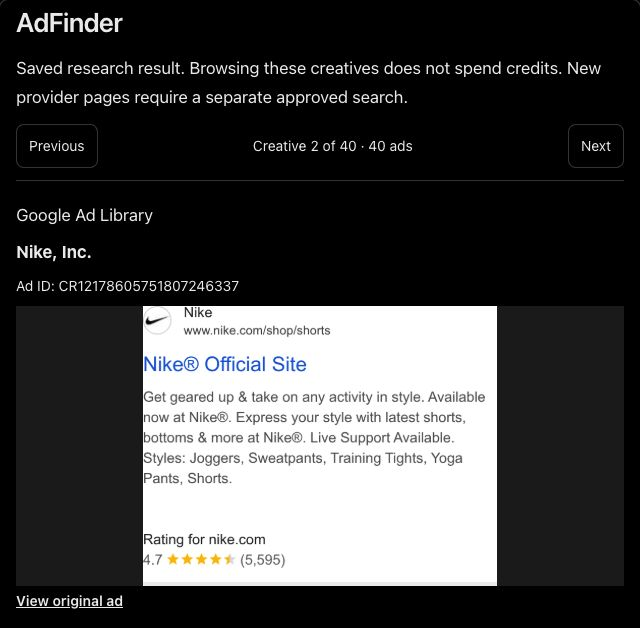
Look at advertiser creative and compare hooks, offers, formats and messages.
Explore supported public profiles, posts, videos and available commerce information.
Work with available spoken and written content to examine the message behind a creative.
Bring advertising and organic references together for your next creative brief.
Review estimates and approve a credit limit before multi-step research runs.
Keep available source links, retrieval context and sample coverage alongside the findings.
Use your AdFinder account in Codex or Claude Code. Collections and Library stay on your phone and cannot be accessed by plugins.
Choose where you work. Check the setup steps and current availability.

Bring ad research into your creative workflow.
Direct connection
Codex setup
Compare references and develop a creative brief.
Claude Code connection
Claude setup
Explore competitor references in a conversation.
In development
Explore the workflowUse the same AdFinder account and balance in Codex or Claude Code. Connecting does not grant more free credits.
No. Collections and Library stay on your device and are not synced.
Check the operation’s estimate before approving research. Plugin and mobile capabilities can differ.
Check your account for web checkout availability. Mobile purchases remain available; Top Up credits never expire.
Check availability for your assistant and manage your connections.
Choose your assistantPrefer the mobile app?


Available for iPhone and Android.